
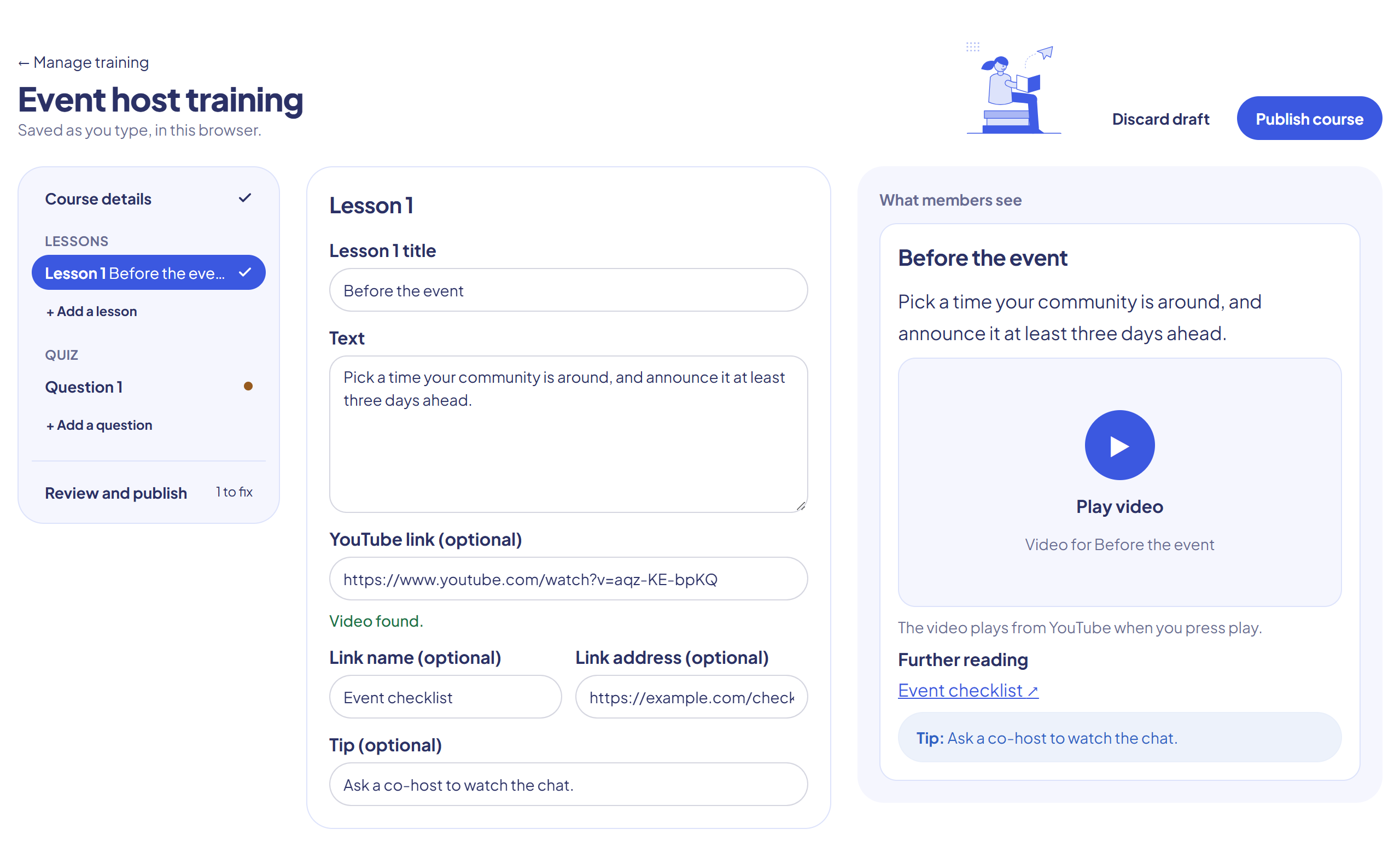
Choose Manage → New course. The builder has three parts: an outline on the left, the editor in the middle, and What members see on the right, which updates as you type.
Your draft saves as you type, so you can leave and come back to it.
Course details
Set the title, summary, category and difficulty, who it's assigned to, and the pass mark. You can also make certificates expire, and award a Discord role for passing.
Lessons
Each lesson has a title and text. You can also add:
- A YouTube link. The video only loads when someone presses play.
- A link to further reading. Links must start with
https://. - A short tip.
To change the order, drag items in the outline, or select one and use Up and Down.
Quiz
Write each question and its answers, and mark which are correct. Turn on More than one answer is correct for a select-all question. Add feedback for right and wrong answers, so people learn from their mistakes.
You can answer the question in the preview to test it. Nothing is scored.
Publishing
A dot in the outline marks anything unfinished. Review and publish lists what's left to fix, with a link to each one, and shows the message members will get.